
High-performance laptop cooling bracket with a 4.07mm thick aluminium alloy frame and 360-degree rotation for enhanced airflow and ergonomic viewing angles
Grey
£105.98
Skip to product information

 This aluminium laptop bracket is engineered to tackle two common issues: device overheating and poor ergonomics. Its core is a 4.07mm thick plate of aluminium alloy, a material known for drawing heat away from electronics. By lifting your laptop, it creates an air gap that promotes natural ventilation under the chassis. Combined with a fully rotational base, it allows you to find the perfect, strain-free viewing angle for any task, from spreadsheets to streaming. It’s a simple, fan-free solution to help maintain your laptop's performance and your comfort.
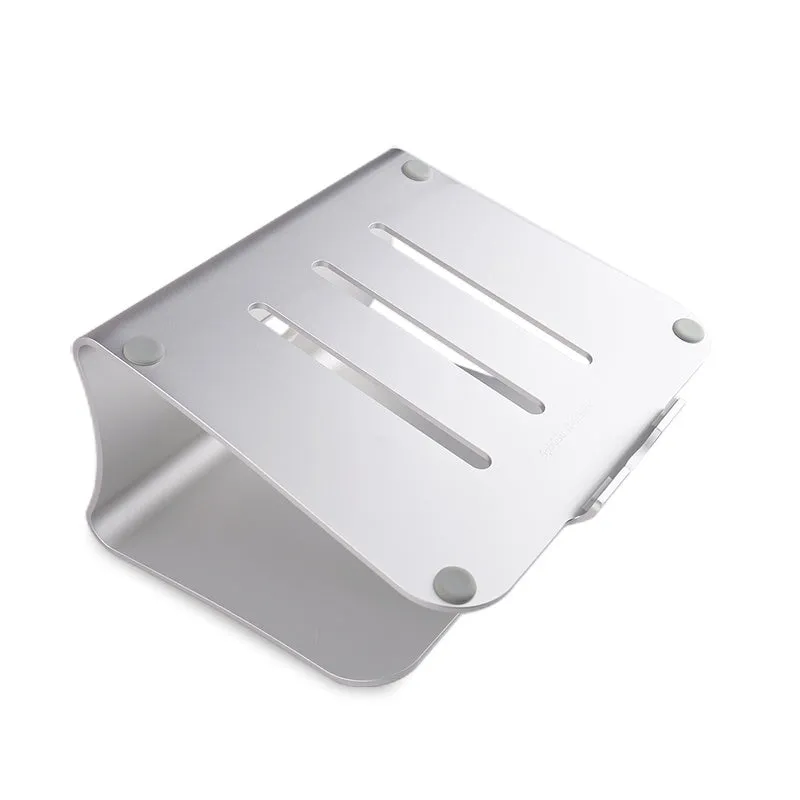 The design prioritises function, using material properties and mechanical features to deliver measurable benefits. There are no moving parts aside from the central rotation point, ensuring long-term reliability. The following details break down how its construction contributes to cooling efficiency and user adjustability.
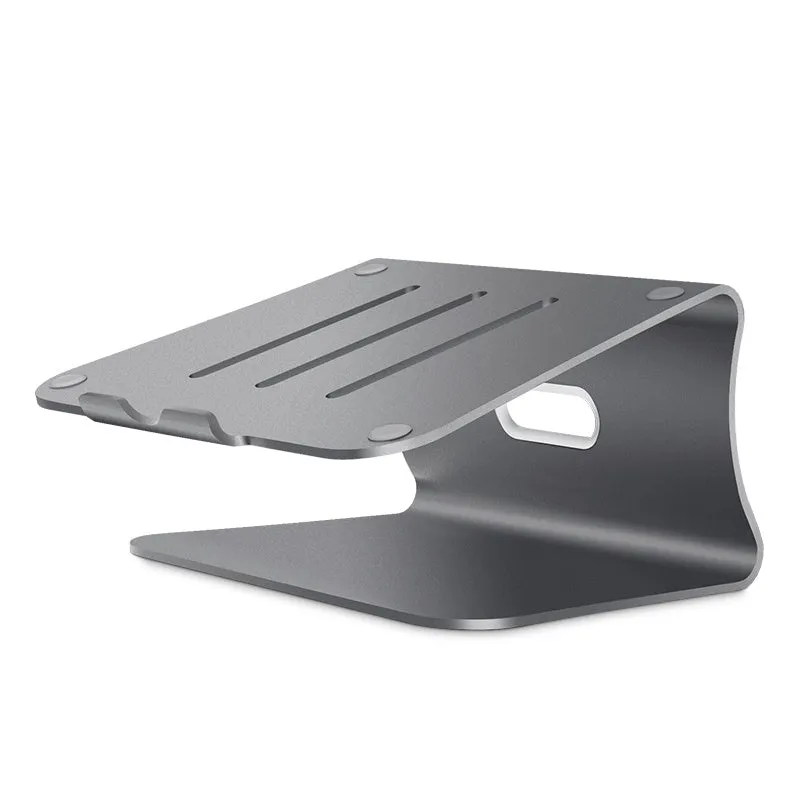 This bracket's value is realised in specific daily scenarios. Its passive cooling and ergonomic adjustment are useful across a range of activities, whether you're working, studying, or relaxing. The following sections outline where it integrates most effectively into your routine.
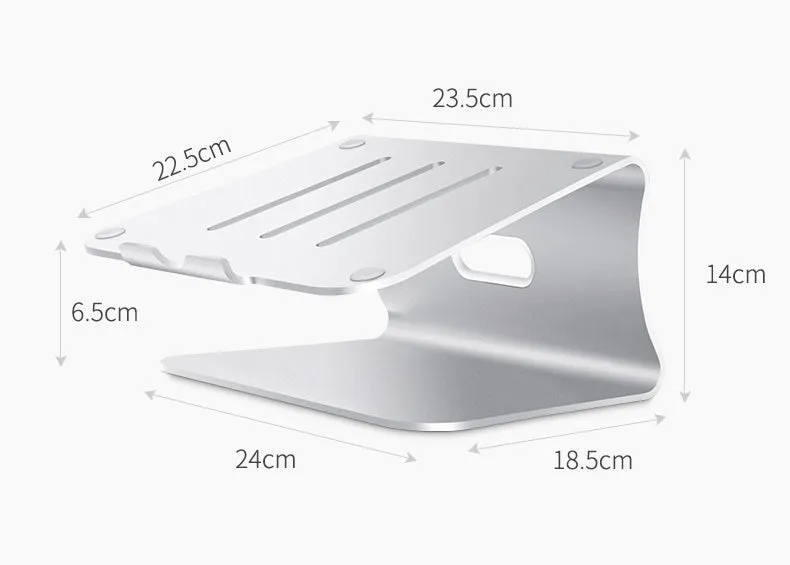 Investing in this bracket addresses immediate discomfort and potential long-term costs associated with laptop overheating. The benefits are rooted in its physical design, offering tangible returns through improved device care and user wellbeing.
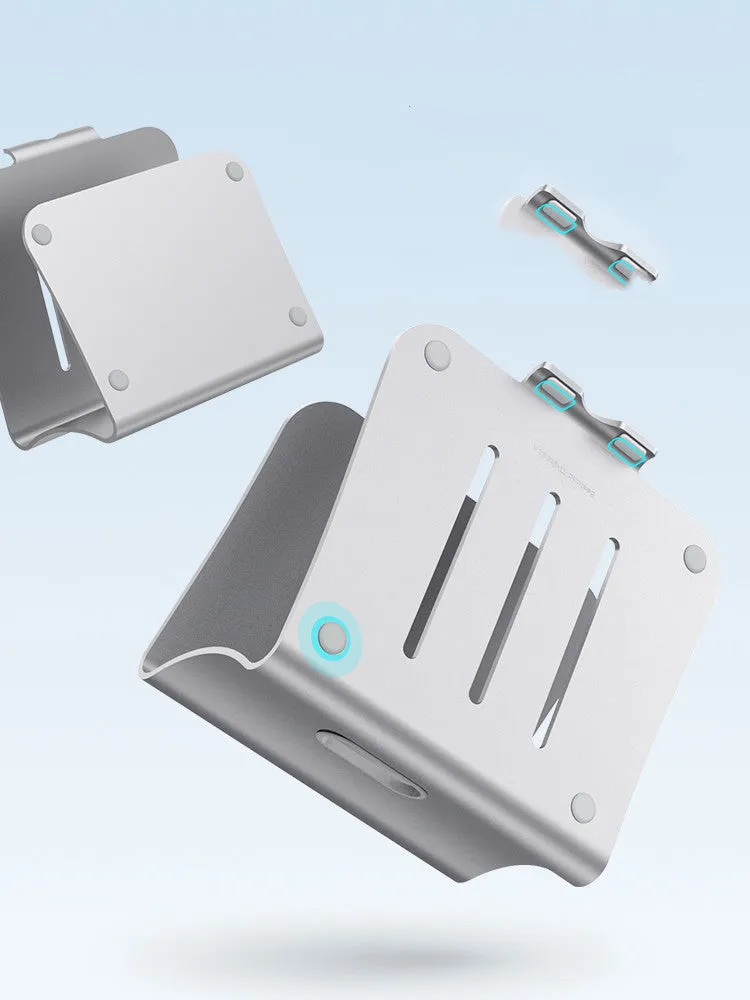


High-performance laptop cooling bracket with a 4.07mm thick aluminium alloy frame and 360-degree rotation for enhanced airflow and ergonomic viewing angles
£105.98
Aluminium Laptop Cooling Bracket: 4.07mm Thick Frame with 360-Degree Rotation for Better Airflow
Design and Build Quality of the Cooling Bracket
Aluminium Alloy Construction
The entire platform is formed from a single piece of aluminium alloy. This metal is selected specifically for its thermal conductivity, which allows it to act as a heat sink, passively absorbing and dissipating warmth from your laptop's base. The 4.07mm thickness is crucial; it provides the mass needed for this thermal transfer while ensuring the bracket remains rigid and stable, preventing any wobble or flex that could disturb your device. The choice of aluminium also keeps the overall weight down for easy portability.360-Degree Rotary Mechanism
At the heart of the bracket is a rotary joint that permits a full 360 degrees of rotation. This isn't a simple tilt function; it allows the platform to spin completely around. This means you can easily share your screen with someone opposite you, switch to a portrait orientation for reading long documents, or make minute adjustments to combat glare from overhead lighting. The mechanism is engineered to hold position firmly at any point in the rotation, providing a stable base even when the laptop is angled steeply.Striped Texture and Finish
The surface isn't smooth; it features a consistent striped pattern. This texture serves a functional purpose by increasing the surface area of the aluminium in contact with the air, which slightly improves the rate of heat dissipation. It also provides a subtle grip to help prevent your laptop from sliding. You can choose between two finishes: a bright, reflective silver or a more understated grey. Both are anodised, a process that hardens the surface of the aluminium, making it more resistant to scratches and wear from daily use.Practical Applications for Home and Work
Professional and Creative Work
For professionals working with resource-intensive software—such as video editors, architects using CAD, or data analysts running complex models—laptop overheating can lead to performance throttling and slowdowns. This bracket helps mitigate that by improving baseline airflow. The 360-degree rotation is equally valuable; designers can swiftly turn the screen to collaborate with clients, while programmers might use portrait mode to view more lines of code. It turns a static laptop into a more adaptable workstation tool.Everyday Computing and Leisure
During everyday use, like browsing the web or video calls, the bracket improves comfort. The gentle elevation improves posture by raising the screen closer to eye level, which can reduce neck hunching. The feeling of a cooler, quieter laptop base during a long film marathon is a direct result of the aluminium drawing heat away, a tactile difference compared to using your laptop on a soft, insulating surface like a bed or cushion.Versatility Across Environments
Its simplicity makes it versatile. It's equally at home in a bustling office, a university library, or on your kitchen table. Because it requires no power cables or USB ports, it doesn't add clutter to your desk. The lightweight aluminium build means it's easy to slip into a backpack alongside your laptop, making it a practical accessory for hybrid workers who need a consistent ergonomic setup wherever they are working for the day.Key Benefits and Long-Term Value
Cost-Effective Device Care
Excessive heat is a primary contributor to reduced laptop lifespan, potentially leading to premature battery failure or motherboard issues. By facilitating better cooling, this bracket can help extend the functional life of your device, delaying the need for costly repairs or replacement. It's a low-cost intervention compared to the price of a new laptop or professional fan repairs, representing sensible preventative maintenance.User Comfort and Satisfaction
A Simple Upgrade for Any Setup The decision to add this bracket to your setup is straightforward. It delivers measurable improvements in airflow and viewing angles with no complicated setup or ongoing costs. If your laptop feels hot to the touch or you find yourself constantly hunching over to see the screen, this tool provides a direct, physical solution. It enhances your existing device's performance and your comfort through intelligent, minimalist design.